IIDXwidget

OBS BROWSER SOURCE · WINDOWS · FREE

방송 화면 위의
계기판.
A dashboard
for your stream.

IIDX·BMS 컨트롤러 입력을 OBS에 그대로. 스크래치와 건반, 릴리즈, KPS 스피드미터까지 — 설치하고 주소 한 줄이면 끝입니다. Your IIDX/BMS controller, live on OBS. Turntable, keys, release timing and a KPS speedometer — install it and add one URL.

MIT 라이선스 · 소스 공개 · 한국어 / English MIT licensed · open source · Korean / English

OBS · Browser Source · 800×600

01 왜 IIDXwidget인가Why IIDXwidget

투컴 방송 지원Two-PC streaming

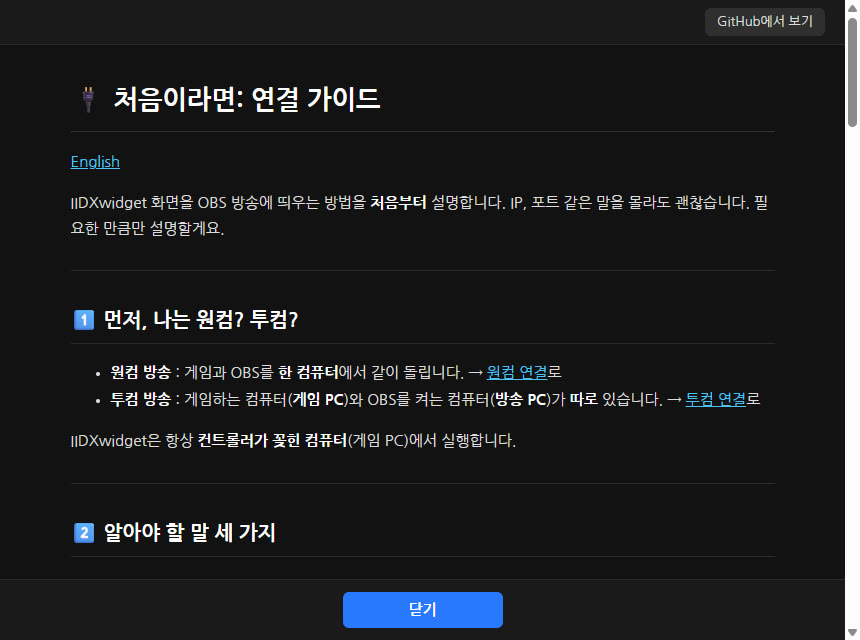
게임 PC에서 앱을 켜고, 방송 PC의 OBS에 게임 PC 주소만 넣으면 됩니다. IP 찾는 법부터 방화벽 허용까지 앱 안의 연결 가이드가 차근차근 안내합니다. Run the app on the game PC and put its address into OBS on the stream PC. The built-in connection guide walks you through finding the IP and allowing it through the firewall.
채터링 감지 지원Chatter detection

스위치가 튀어서 생기는 이중 인식을 건반마다 셉니다. 유독 튀는 건반만 짚어 줘서 스위치 교체 시기를 가늠할 수 있습니다. Counts double inputs from switch bounce on every key and points out the keys that stand out, so you know when a switch is wearing out.

무료Free

모든 기능을 무료로 씁니다. 결제도, 광고도, 가입도 없습니다. Every feature is free. No payment, no ads, no sign-up.

02 이런 분께Made for

03 기능Features

실시간 입력 계기판Live input dashboard

스크래치 회전과 방향, 건반 입력을 실시간으로 그리고, 아래 계기판에 이번 세션의 타건 수와 업타임이 흐릅니다. Turntable spin and every key press, drawn live, with this session's presses and uptime on the dashboard.

가이드: 화면 구성 → Guide: what you see →

KPS 스피드미터KPS speedometer

KPS가 속도계처럼 올라가고, 빨간 영역에서는 주황에서 빨강으로 달아오르며 끝값에서 살짝 떨립니다. IIDX / BMS ~★★ / BMS ★★~ 프리셋. KPS climbs like a speedometer, heats from orange to red in the red zone and trembles at the limit. Presets for IIDX, BMS up to ★★ and ★★ and up.

가이드: KPS 스피드미터 → Guide: KPS speedometer →

릴리즈 · 롱노트Release and long notes

건반 위 숫자는 건반별, 계기판은 전체 평균 릴리즈입니다. Rag 님 위젯과 같은 규칙으로 재고, 롱노트는 평균에서 빼며 누르고 있는 동안 따로 색을 칠합니다. Per-key release above each key, overall average on the dashboard — same rules as Rag's widget. Long notes are left out and get their own color while held.

가이드: RELEASE 수치 → Guide: release value →

DP 지원DP support

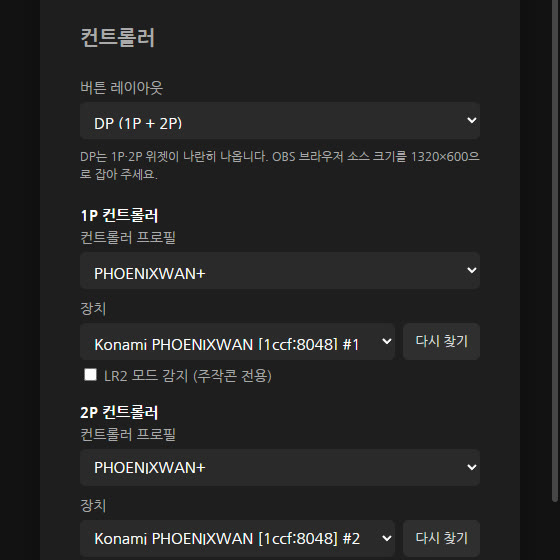
1P와 2P에 컨트롤러를 각각 연결합니다. 종류가 달라도 되고, 같은 컨트롤러 두 대라면 장치를 골라 쓰면 됩니다. 위젯은 하나로 이어지고 계기판은 가운데에 붙습니다. Connect a controller to 1P and 2P separately — different models are fine, and with two identical ones you just pick each device. The widget joins into one with the dashboard in the middle.

가이드: 버튼 레이아웃과 DP → Guide: button layout and DP →

방송에 맞춰 꾸미기Make it yours

스크래치에 원하는 이미지를 넣고, 이미지에 맞춰 배경·건반·입력·글자·롱노트 색을 바꿉니다. GIF 등 움직이는 이미지도 지원하고, 회전 방향마다 다른 이미지도 됩니다. 바꾼 설정은 방송 화면에 바로 반영됩니다. Put your own image on the turntable and match the background, key, active, text and long-note colors to it. Animated images like GIFs work too, and you can use a different image per spin direction. Changes show up on stream instantly.

가이드: 위젯 외관 → Guide: widget appearance →

채터링 감지Chatter detection

스위치가 튀어서 생기는 이중 인식을 건반마다 셉니다. 흰 건반과 검은 건반을 따로 묶어 유독 튀는 건반만 빨갛게 표시하고, Rag / Sadang 두 가지 기준 중에 고를 수 있습니다. Counts switch bounce per key. White and black keys are compared separately and only the outliers light up red. Choose between the Rag and Sadang presets.

가이드: 채터링 감지 → Guide: chatter detection →

beatmania.app 타건 기록beatmania.app play count

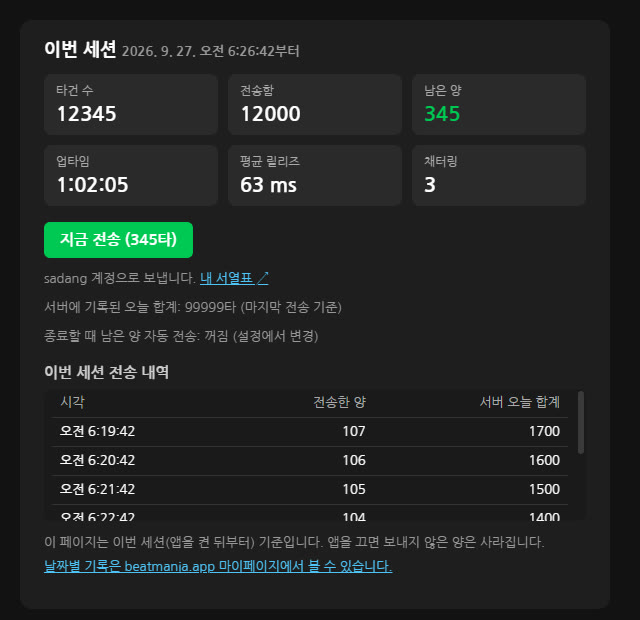
계정을 한 번 연결하면 버튼 하나로 이번 세션의 타건 수를 서열표 사이트에 보냅니다. 끌 때 자동으로 보낼 수도 있습니다. Connect your account once, then send this session's presses with one click — or automatically when you quit.

가이드 → Guide →

컨트롤러와 장치 선택Controllers and devices

PHOENIXWAN+ · FPS EMP 2세대 · 키보드를 공식 지원하고, 그 밖의 컨트롤러는 버튼을 눌러 직접 매핑합니다. 연결된 장치를 골라 쓸 수 있습니다. Official support for PHOENIXWAN+, FPS EMP Gen2 and keyboards; map any other controller by pressing its buttons. Pick from the connected devices.

가이드 → Guide →

앱 안의 가이드Guides built in

연결 방법, 설정, 릴리즈, 채터링 가이드를 앱 안에서 바로 봅니다. 늘 최신 내용으로 불러옵니다. Connection, settings, release and chatter guides inside the app, always loaded fresh.

연결 가이드 → Connection guide →

알아서 다시 연결Reconnects on its own

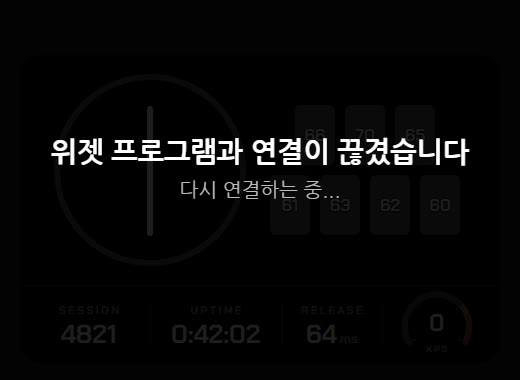
앱이 꺼져 있으면 방송 화면에 안내를 띄우고, 앱을 켜는 순간 다시 붙습니다. OBS를 건드릴 필요가 없습니다. If the app is off, the stream shows a notice; start the app and it reconnects. No need to touch OBS.

문제 해결 → Troubleshooting →

04 3분이면 시작Up in three minutes

  1. 1설치 파일을 받아 실행합니다.Download and run the installer.
  2. 2OBS에 브라우저 소스를 추가하고 http://127.0.0.1:8080/widget/을 넣습니다. (800×600, DP는 1320×600) Add an OBS browser source with http://127.0.0.1:8080/widget/ (800×600, or 1320×600 for DP).
  3. 3설정에서 컨트롤러를 고르면 끝.Pick your controller in Settings. Done.

05 만든 사람Who made it

Coldlapse

Coldlapse Sadang

2022년에 IIDX와 BMS를 시작해 SP 발광개전(★★)을 취득한 BMS 플레이어입니다. IIDX 인피니타스를 위한 서열표 사이트가 없다는 점에 착안해 beatmania.app을 만들어 운영하고 있고, IIDXwidget도 그 연장선에서 개발했습니다. 방송하며 직접 쓰는 도구를 만듭니다.

A BMS player who started IIDX and BMS in 2022 and holds SP ★★ (発狂皆伝). Noticing that INFINITAS had no rank-table site of its own, Coldlapse built and runs beatmania.app. IIDXwidget grew out of the same work: tools made for real use on stream.

함께 만든 사람들Contributors: rhombus9 · 멘탈바사삭 · MellDa1024 · Ryochobi